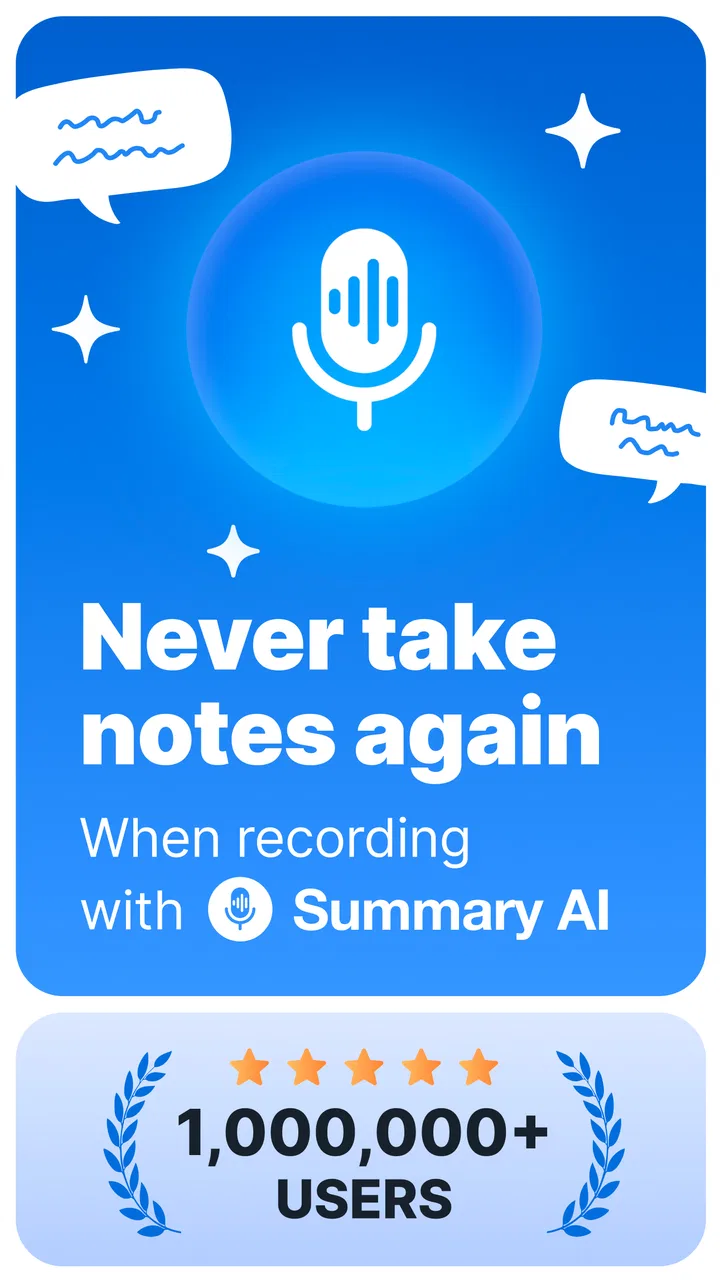
Summary - AI Note Taker
- 4.7
- Rating
- 1.00M
- Installs
- Free
- Price
 Analysis by App-foxy
I use a lot of note-taking tools, but the difficult part is rarely writing a short reminder. The real problem is keeping up when somebody is speaking, then turning that conversation into something I can actually use later. Summary - AI Note Taker is built around that exact situation: it records audio, turns speech into text, and creates a shorter version of the notes. After spending time with it, I see it as a focused productivity app rather than a complete replacement for a notebook, recorder, or full project-management system.
That focus is its main appeal. I can begin with spoken information instead of trying to type every sentence, which makes it useful for meetings, study sessions, interviews, personal ideas, and quick voice reminders. The app is free to start, carries an Everyone age rating, and comes from Labhouse Mobile. Its current version is 2.10.0, while the Android requirement begins at version 7.0, so it is aimed at a broad range of devices rather than only recent phones.
How Summary - AI Note Taker feels in everyday use
I find this app most useful when I decide in advance what I need from a recording: a quick memory aid, a readable transcript, or a shorter recap to review later. That small choice helps me avoid treating every conversation as material that must be processed. Next, I’d weigh how much time the workflow saves against the effort of checking and organizing its results.
You May Also Like

 Blood Strike: 2.5 Anniversary
Blood Strike’s Loadouts Turn Every Drop Into a Tactical Gamble
A close look at Blood Strike’s custom loadouts: how fast access to signature weapons reshapes its battle royale rhythm, rewards preparation, and narrows the gap between fights.

 Pandora - Music & Podcasts
Pandora’s Music Is Easy to Start, but Harder to Recover
Pandora’s strength is its low-effort path from a seed to a station. Its weak spot is how much confidence it asks you to place in connection, setup, and quiet recovery.

 8 Ball Pool
 Is Built on Rivalries, Rematches, and Routine
A close look at the rivalries, rematches, shared routines, and unanswered safety questions that turn a quick pool match into a persistent mobile community.

 Samsung Music
’s Quiet Strength Is Playing What You Already Own
Its reach comes less from spectacle than from dependable access to a personal library. That simplicity is both the app’s strongest retention engine and its ceiling.

 AccuWeather: Weather Radar
AccuWeather Review: A Quick, Clear Forecast for Everyday Decisions
For everyday plans, the best forecast is the one you can understand quickly. AccuWeather makes rain timing, radar, and local conditions easy to act on, with a few trade-offs.

 Hill Climb Racing
Why Hill Climb Racing Still Turns Crashes Into One More Run
A tiny car, a bumpy hill and one more upgrade: Hill Climb Racing keeps resurfacing because its simple chaos makes every near-miss feel personal.
More From Our News Desk



The first few minutes matter more than the feature list
When I open a tool like this, I want the path from opening the app to capturing a thought to be short. Summary - AI Note Taker makes sense when I treat it as a capture-first workspace. I do not need to prepare a carefully formatted page before speaking. The useful workflow is to record naturally, let the speech become text, and then use the condensed result as the starting point for a cleaner note.
That approach changes how I use it compared with a traditional notes app. A normal text editor is faster when I already know exactly what I want to write. This app becomes more valuable when the information arrives faster than I can type. For example, during a planning conversation, I can concentrate on the discussion instead of constantly looking down at the keyboard. The resulting summary is not the conversation itself; it is a way to recover the main direction afterward.
The speed I perceive depends on the task. Starting a recording should feel immediate because the main benefit disappears if setup takes too long. The transcription and summarization stages are naturally more deliberate, especially with longer recordings. I would not judge it by whether a long session becomes a finished note instantly. I judge it by whether the waiting period saves more time than manually replaying audio and writing everything from scratch.
A realistic meeting workflow
Imagine a weekly team discussion with several subjects mixed together. I would start the recording before the first topic, keep the phone in a stable position, and avoid treating the app like a live stenographer that must produce perfect text while everyone talks over one another. Afterward, I would read the transcript first when accuracy matters, then use the summary to identify the main decisions, open questions, and items that deserve a separate task.
One useful habit is to say transitions aloud. Phrases such as “next topic” or “the decision is” give the transcript clearer landmarks and make the condensed version easier to scan. This is not a glamorous feature, but it is an important trade-off: the quality of an AI note depends partly on the quality of the spoken source. A quiet, organized conversation gives the app a much better chance than a crowded room with interruptions.
I also prefer making a short spoken conclusion at the end of a recording. In my experience, this creates a practical checkpoint: I can restate what I believe was agreed, rather than relying entirely on the automatic summary. That makes the app more useful as a memory aid and less risky as an unquestioned record.
Where it can save more time than typing
The strongest use case is not simply “write my notes for me.” It is reducing the gap between having information and being able to review it. A student could record a study explanation, then use the transcript for detailed passages and the summary for revision. Someone preparing an interview could capture answers without breaking eye contact. A freelancer could speak through an idea while walking, then return later to shape it into an outline.
There is also a quieter use case: thinking out loud. I often find that a voice note contains more useful detail than a rushed line typed into a phone. The summary can expose the central idea hidden inside that unstructured thought. I would still rewrite important material, but the app can help me avoid losing the idea before I have time to develop it.
For short reminders, however, the advantage is less obvious. If I only need to remember “buy printer paper,” opening an AI transcription tool may be slower than using a basic notes widget or a voice assistant. The more context the recording contains, the more worthwhile the workflow becomes.
What happens during heavier use
Longer recordings are where I would pay closest attention to perceived performance. Recording itself should not be confused with processing: capturing audio is one stage, while turning it into text and then summarizing it is another. A brief memo is a light request. A long meeting asks the app to handle much more material, and the review process also becomes more demanding because I have more text to inspect.
My practical advice is to divide very long sessions when there are natural breaks. Separate recordings for different agenda items are easier to revisit than one uninterrupted file, and summaries become more useful when each one has a clear subject. This is a workflow improvement rather than a claim about a hidden technical limit. It also makes recovery easier if I need to return to one section instead of searching through a single oversized note.
Heavy use can expose another kind of friction: attention. Even if processing feels quick, reading a transcript that has not been checked can create extra work. I would not automatically copy generated text into an email, report, or formal record. Names, figures, technical terms, and short words that change meaning deserve a quick comparison with the audio.
Stability and recovering from imperfect sessions
A productivity app earns trust not only when everything goes well, but also when the recording environment is less than ideal. Background noise, people speaking at the same time, a quiet voice, or a phone placed too far away can all reduce the usefulness of the result. I see the app as a helpful first pass, not as proof that every spoken word has been captured correctly.
My recovery method is simple. I keep the original audio available for important material, read the transcript selectively instead of assuming it is flawless, and use the summary to locate the sections that need attention. If a meeting contains a critical decision, I verify that passage manually. That extra step is especially important when the note will be shared with other people or used to support a later commitment.
I would also avoid ending a recording abruptly when possible. A short spoken wrap-up gives me a useful reference point and makes it easier to recognize whether the session covered what I expected. If something goes wrong during a long conversation, separate topic-based recordings reduce the amount of material that needs to be repeated. This is one of the most practical ways to make the app feel dependable in real life.
Resource demands and device expectations
Because the app works with audio, transcription, and summarization, I would use it with the same common-sense preparation I apply to any recording tool. A phone with very little free storage, a nearly empty battery, or too many active tasks is not an ideal starting point. I cannot treat the app as a substitute for basic device maintenance, particularly before an important meeting or class.
The broad Android compatibility is helpful for people who do not own a new phone. Still, compatibility does not mean every device will feel identical. Older hardware may make processing feel less immediate, and a busy phone may make multitasking less comfortable. I would close unnecessary apps before a long session, keep the device nearby enough for clear audio, and avoid placing it where movement or handling noise dominates the recording.
There is a difference between resource use during capture and resource use during analysis. Recording for an extended period may affect battery life more than a quick note, while transcription and summarization may feel like the heavier stages afterward. I would plan around that distinction instead of assuming the entire experience has the same performance profile from start to finish.
Privacy-minded habits without overcomplicating the workflow
Audio notes can contain more personal information than ordinary text. A meeting may include names, plans, customer details, or sensitive opinions. Before recording other people, I would follow the rules and expectations of the setting. The convenience of automatic notes does not remove the need for permission or judgment.
I would also separate low-risk and high-risk uses. Recording my own brainstorming is straightforward. Recording a confidential conversation requires much more care, regardless of how accurate the transcription appears. For sensitive material, I would review the generated note before sharing it, remove details that do not belong in the final version, and avoid treating a summary as a complete legal or professional record.
How it compares with ordinary alternatives
A basic notes app remains better for fast typed lists, checkboxes, and information that does not need a transcript. It asks less of the phone and usually keeps the user in control of every word. If my goal is a grocery list or a compact daily plan, I would choose the simpler tool.
A standalone voice recorder is also a sensible alternative when preserving the original audio is the only priority. It can be more direct because it does not ask me to turn the recording into a structured text document. Summary - AI Note Taker is more attractive when I expect to read, search through, or condense what was said rather than merely replay it later.
Manual notes still win when I need interpretation in the moment. Writing down a decision, a deadline, or a question forces me to decide what matters. Automatic transcription is useful for coverage, but it can leave me with a large amount of material that still requires judgment. For important meetings, I prefer combining both approaches: a short manually written list of decisions plus the recorded material for reference.
That combination reveals the app’s proper role. It is not a replacement for thinking, editing, or checking. It is a way to make the first capture less demanding and the later review more manageable.
Who will get the most from it
I would recommend it to students, interviewers, creators, consultants, office workers, and anyone who regularly receives more spoken information than they can comfortably type. It is especially useful for people who like to revisit details but dislike writing during the conversation itself. The free entry point makes it easy to test whether an audio-to-note workflow fits personal habits before committing to it.
The audience is also reflected in its reception: the app sits at a 4.6 average from around 34 thousand ratings and has passed half a million installs. Those figures suggest that the idea resonates with a substantial group of users, although they do not remove the need to test it with your own voice, surroundings, and phone.
I would be more cautious about recommending it to someone who wants a fully manual notebook, advanced task management, or guaranteed professional-grade transcription. People who rarely record speech may find the extra processing unnecessary. Likewise, anyone who needs every word verified should treat the generated text as assistance and keep a reliable review step in the workflow.
Cost and the point where expectations change
The app is free to download, with in-app purchases ranging from $8.99 to $79.99 per item. That makes the initial decision fairly easy: try the basic experience with ordinary recordings and see whether the time saved feels real. The more important question is not simply whether the app can produce a summary, but whether I use those summaries often enough to justify paying for additional access.
I would not pay immediately after one impressive result. I would test several situations: a quiet personal memo, a structured conversation, and a less orderly discussion. I would compare the time spent checking the output with the time I would have spent writing manually. That small experiment gives a better answer than judging the app from a single ideal recording.
The purchase range also means users should think about their pattern of use. Someone making occasional short notes may be satisfied with the free experience, while a person processing spoken material frequently may value the paid options more. Either way, the decision should follow actual usage rather than the assumption that every recording needs AI processing.
My performance verdict
Summary - AI Note Taker feels most convincing when speed means reducing effort, not producing magic instantly. It gets me from spoken information to a reviewable note with less manual typing, and that can be a meaningful improvement during meetings, lessons, interviews, and unstructured brainstorming. The workflow is strongest when I prepare the recording environment, speak clearly, divide long sessions sensibly, and verify anything important.
Its limitations are equally clear. Processing longer material can require patience, automatic text can need correction, and the app is not the best choice for every tiny reminder. Device condition and recording quality matter, while sensitive conversations demand responsible handling. These are not reasons to dismiss it; they are the boundaries that keep the tool useful instead of overpromising what automation can do.
For me, the best description is a practical first-pass assistant for spoken information. It does not remove the need to think, edit, or confirm details, but it can make the first stage of note-taking much easier. With an Everyone rating, support for Android 7.0 and later, and a free starting point, it is accessible enough to try. I would choose it over a plain notes app when the source is a conversation, and over a basic recorder when I know I will need a readable summary afterward.
My recommendation is therefore positive but selective. If your days are filled with explanations, meetings, ideas, or interviews, this productivity app is worth testing as part of a capture-and-review routine. If you only need short typed reminders or absolute transcription certainty, a simpler or more controlled alternative may serve you better. Used within those limits, Summary - AI Note Taker offers a sensible way to turn spoken moments into notes I can actually act on.
FAQs for Summary - AI Note Taker
01What is Summary - AI Note Taker?
Summary - AI Note Taker is an innovative app designed to help users efficiently capture and organize notes using AI technology. It transcribes audio, summarizes key points, and categorizes notes for easy retrieval. Ideal for students, professionals, or anyone needing streamlined note-taking capabilities.
02How does the AI transcription feature work?
The AI transcription feature in Summary - AI Note Taker automatically converts spoken words into text in real-time. It uses advanced speech recognition technology to ensure accuracy and supports multiple languages. This feature is perfect for recording lectures, meetings, or personal reminders without manual input.
03Is Summary - AI Note Taker secure to use?
Yes, Summary - AI Note Taker prioritizes user privacy and data security. It employs encryption to protect your notes and adheres to strict data protection policies. Users can also choose to store their notes locally or in the cloud, ensuring flexibility and control over personal information.
04Can the app integrate with other productivity tools?
Summary - AI Note Taker is designed to seamlessly integrate with various productivity tools, such as Google Drive, Evernote, and Dropbox. This allows users to easily export notes, share them with colleagues or friends, and enhance their workflow across different platforms.
05Does the app require an internet connection to function?
While Summary - AI Note Taker offers offline functionality for basic note-taking, features like AI transcription and cloud syncing require an internet connection. This ensures the app can access up-to-date AI models and provide accurate transcriptions, enhancing the overall user experience.
Pros
- Intuitive interface for easy navigation.
- Seamless integration with other apps.
- Customizable note organization.
- AI-driven summarization is accurate.
- Offline access to notes available.
Cons
- Limited free version features.
- Occasional sync delays.
- Heavy battery usage reported.
- Requires stable internet for AI.
- No handwriting recognition support.

Summary - AI Note Taker
Gallery